
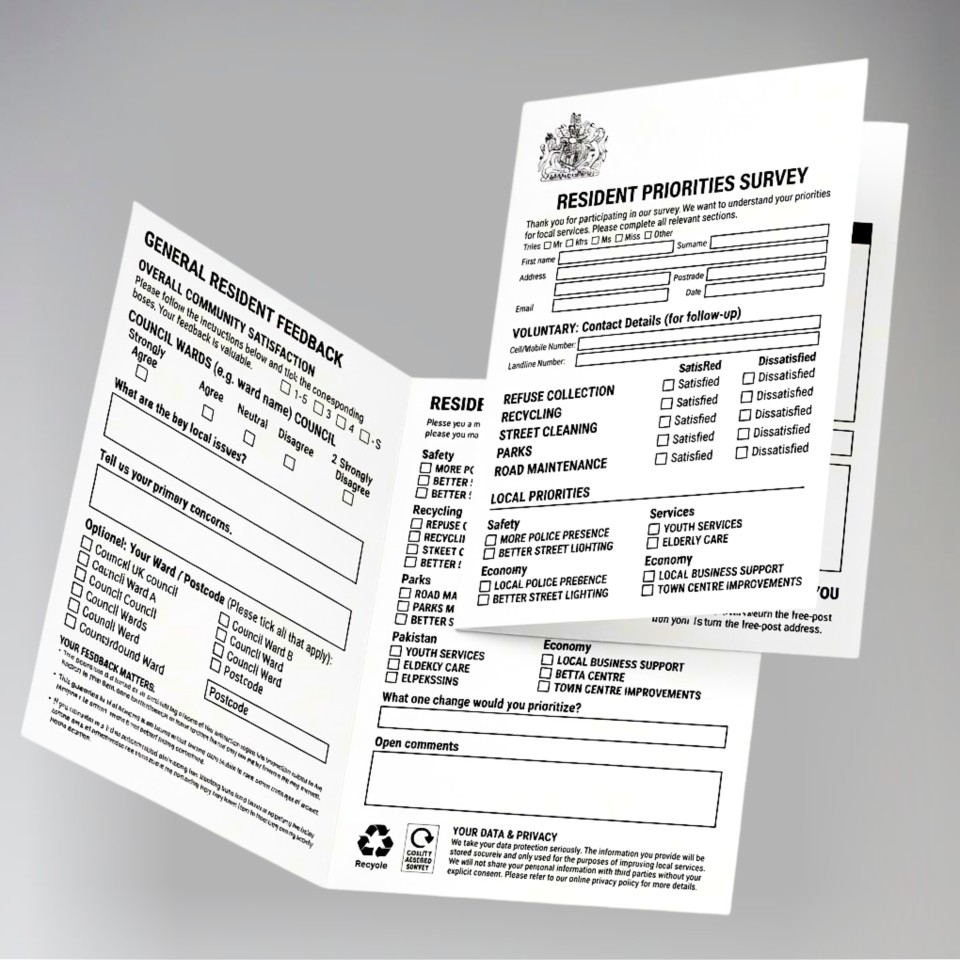
Our folded forms offer a professional alternative to stapled documents for projects requiring multiple pages. By using a single sheet folded down, you achieve a cleaner finish that is easier to handle, file and distribute.
Printed on high-quality 80gsm or 100gsm uncoated paper, these forms are specifically designed for ease of writing. The uncoated surface ensures ink absorbs quickly, making them the ideal choice for documents that need to be completed by hand.
Typical applications:
-
Questionnaires and surveys: Ample space for feedback without the bulk of multiple sheets.
-
Registration forms: Ideal for medical, dental or membership applications.
-
Contracts and terms: Keeps all legal information in one seamless document.
-
Event programmes: A compact format for orders of service or schedules.
-
Price lists and menus: A durable, write-on solution for hospitality and retail.
-
Newsletters: A simple, effective way to present internal or community updates.
We'll need to have a file that we can print from.
Our prices are per file, so if you have 2 different files, please make a separate order for each.
Simply work out the total number of prints you would like, any options, and Add to Basket.
After checkout, you'll be prompted to upload your file, and you'll be able to write any special instructions to us there.
We don't print anything automatically. We'll check your order, make sure we understand it, and email you a PDF proof for you to approve first (if necessary). This will show the final layout as it would print, and allows you to check for any mistakes.
Once your order is approved, we'll get started and email you once we've finished.
File Types
Our ideal file type is a PDF saved with 'press quality' or ‘high quality print' settings.
Using Canva? Export as PDF Print and tick the 'Crop marks and bleed' box. In Adobe software, use File → Export → PDF (Print) with the Press Quality preset. Full guidance at copycentre.com/artwork.
We accept most file types (eg: Microsoft Word, Powerpoint), and we can resize your file for you. Please note that Microsoft Office files can change between computers so it's best to save or 'print' to a PDF first.
If you only have a paper copy, you can post it to us and we'll scan it in for free.
If you don't have a design, you can download our simple invoice template, which you can edit to become an order form, quote, or anything you like.
We also recommend Canva, where you can edit templates for free, and download them as PDFs for us to print.
Alternatively, we offer a design service, with prices from £40 +VAT
We'll always check your file and send you a PDF proof to approve before printing.
Specifications
- Number of pages refers to the number of pages in your document. It is not the number of sheets.
- Colour / Black & White chooses the type of machine we print on. If you have mixed colour and black & white, choose 'colour'.
- File types: PDFs are preferred and are the fastest to process and print.
- Margins: All prints will have a white margin around each edge (approx 5mm). If you'd like edge to edge (full bleed) printing, please check out some of our other products (eg: cards, leaflets)
Paper Types
- 80gsm is standard for black & white printing. It's an uncoated bond paper.
- 100gsm is standard for colour printing. It's an uncoated bond paper.
- All our paper is FSC-certified, from mixed and renewable resources.
- We don't print custom sizes, we may be able to resize your file to the nearest standard size.
Not found what you're looking for?
Get in touch!Folded Forms
|
Format
Finished size
Printed
Sides
Paper
Order within Collect after 4pm:
07-05-26
Delivered by:
08-05-26
01277 634 508
Quantity
Price
£
 + VAT
+ VAT
|
More Prices
Click a price below to add an item, based on your chosen printing options above, to the basket.
| A4 (297 x 210mm) | A3 (420 x 210mm) | |
|---|---|---|
| 50 |
|
|
| 100 |
|
|
| 250 |
|
|
| 500 |
|
|
| 1000 |
|
|
| 2000 |
|
|
How it works
We'll need to have a file that we can print from.
Our prices are per file, so if you have 2 different files, please make a separate order for each.
Simply work out the total number of prints you would like, any options, and Add to Basket.
After checkout, you'll be prompted to upload your file, and you'll be able to write any special instructions to us there.
We don't print anything automatically. We'll check your order, make sure we understand it, and email you a PDF proof for you to approve first (if necessary). This will show the final layout as it would print, and allows you to check for any mistakes.
Once your order is approved, we'll get started and email you once we've finished.
Product Specifications
File Types
Our ideal file type is a PDF saved with 'press quality' or ‘high quality print' settings.
Using Canva? Export as PDF Print and tick the 'Crop marks and bleed' box. In Adobe software, use File → Export → PDF (Print) with the Press Quality preset. Full guidance at copycentre.com/artwork.
We accept most file types (eg: Microsoft Word, Powerpoint), and we can resize your file for you. Please note that Microsoft Office files can change between computers so it's best to save or 'print' to a PDF first.
If you only have a paper copy, you can post it to us and we'll scan it in for free.
If you don't have a design, you can download our simple invoice template, which you can edit to become an order form, quote, or anything you like.
We also recommend Canva, where you can edit templates for free, and download them as PDFs for us to print.
Alternatively, we offer a design service, with prices from £40 +VAT
We'll always check your file and send you a PDF proof to approve before printing.
Specifications
- Number of pages refers to the number of pages in your document. It is not the number of sheets.
- Colour / Black & White chooses the type of machine we print on. If you have mixed colour and black & white, choose 'colour'.
- File types: PDFs are preferred and are the fastest to process and print.
- Margins: All prints will have a white margin around each edge (approx 5mm). If you'd like edge to edge (full bleed) printing, please check out some of our other products (eg: cards, leaflets)
Paper Types
- 80gsm is standard for black & white printing. It's an uncoated bond paper.
- 100gsm is standard for colour printing. It's an uncoated bond paper.
- All our paper is FSC-certified, from mixed and renewable resources.
- We don't print custom sizes, we may be able to resize your file to the nearest standard size.
Not found what you're looking for?
Get in touch!